Breaking OPSEC for a bit to write a how-to on using GPG keys with smartcards...
I've thought about experimenting with smartcards for a while. Turns out that my Thinkpad has a built-in smartcard reader, but most of my other systems don't. Also, I'd like to use a smartcard to protect my SSH keys, some of which I may use on systems that I do not fully control (ie. at the university to push code to Github or Bitbucket), or to get to my server. Smartcard readers are great, but they're not much fun to add to a list of stuff to carry everywhere.
There's an alternate option: the Yubikey. Yubico appears to have made a version 4 of the Yubikey which has CCID (smartcard magic), U2F (2-factor for GitHub and Google, on Chrome), and their usual OTP token, all on the same tiny USB key. What's more, it is documented as supporting 4096 bit RSA keys, and includes some ECC support (more on this later).
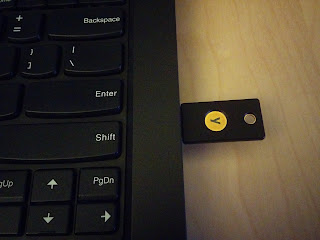
Setting up GPG keys for use with smartcards is simple. One has the choice of either creating your own keys locally, and moving them on the smartcard, or generating them on the smartcard right away. In other to have a backup of my full key available in a secure location, I've opted to generate the keys off of the card, and transferring them.
For this, you will need one (or two) Yubikey 4 (or Yubikey 4 Nano, or if you don't mind being limited to 2048 bit keys, the Yubikey NEO, which can also do NFC), some backup media of your choice, and apparently, at least the following packages:
gnupg2 gnupg-agent libpth20 libccid pcscd scdaemon libksba8 opensc
You should do all of this on a trusted system, not connected to any network.
First, setup gnupg2 to a reasonable level of security. Edit ~/.gnupg/gpg.conf to pick the options you want, I've based my config on
Jeffrey Clement's blog entry on the subject:
#default-key AABBCC90DEADBEEF

keyserver hkp://keyserver.ubuntu.com

no-emit-version

no-comments

keyid-format 0xlong

with-fingerprint

use-agent

personal-cipher-preferences AES256 AES192 AES CAST5

personal-digest-preferences SHA512 SHA384 SHA256 SHA224

cert-digest-algo SHA512

default-preference-list SHA512 SHA384 SHA256 SHA224 AES256 AES192 AES CAST5 ZLIB BZIP2 ZIP Uncompressed
You'll want to replace default-key later with the key you've created, and uncomment the line.
The downside to all of this is that you'll need to use gpg2 in all cases rather than gpg; which is still the default on Ubuntu and Debian. gpg2 so far seems to work just fine for ever use I've had (including debsign, after setting
DEBSIGN_PROGRAM=gpg2 in ~/.devscripts).
You can now generate your master key:
gpg2 --gen-key
Then edit the key to add new UIDs (identities) and subkeys, which will each have their own different capabilities:
gpg2 --expert --edit-key 0xAABBCC90DEADBEEF
Best is to follow jclement's blog entry for this. There is no point in reiterating all of it. There's also a pretty complete guide from The Linux Foundation IT
here, though it seems to include a lot of stuff that does not appear to be required here on my system, in xenial.
Add the subkeys. You should have one of encryption, one for signing, and one for authentication. Works out pretty well, since there are three slots, one for each of these capabilities, on the Yubikey.
If you also want your master key on a smartcard, you'll probably need a second Yubikey (that's why I wrote two earlier), which would only get used to sign other people's keys, extend expiration dates, generate new subkeys, etc. That one should be left in a very secure location.
This is a great point to backup all the keys you've just created:
gpg2 -a --export-secret-keys 0xAABBCC90DEADBEEF > 0xAABBCC90DEADBEEF.master.key

gpg2 -a --export-secret-subkeys 0xAABBCC90DEADBEEF > 0xAABBCC90DEADBEEF.sub.key

gpg2 -a --export 0xAABBCC90DEADBEEF > 0xAABBCC90DEADBEEF.pub
Next step is to configure the smartcard/Yubikey to add your name, a URL for the public key, set the PINs, etc. Use the following command for this:
gpg2 --card-edit
Finally, go back to editing your GPG key:
gpg2 --expert --edit-key 0xAABBCC90DEADBEEF
From this point you can use toggle to select each subkey (using key #), move them to the smartcard (keytocard), and deselect them (key #). To move the master key to the card, "toggle" out of toggle mode then back in, then immediately run 'keytocard'. GPG will ask if you're certain. There is no way to get a key back out of the card, if you want a local copy, you needed to make a backup first.
Now's probably a great time to copy your key to a keyserver, so that people may eventually start to use it to send you encrypted mail, etc.
After transferring the keys, you may want to make a "second backup", which would only contain the "clues" for GPG to know on which smartcard to find the private part of your keys. This will be useful if you need to use the keys on another system.
Another option is to use the public portion of your key (saved somewhere, like on a keyserver), then have gpg2 discover that it's on a smartcard using:
gpg2 --card-status
Unfortunately, it appears to only manage to pick up either only the master key, or only the subkeys, if you use separate smartcards. This may be a blessing in disguise, in that you'd still only use the master key on an offline, very secure system, and only the subkeys in your typical daily use scenario.
Don't forget to generate a revocation certificate. This is essential if you ever lose your key, if it's compromised, or you're ever in a situation where you want to let the world know quickly not to use your key anymore:
gpg2 --gen-revoke 0xAABBCC90DEADBEEF
Store that data in a safe place.
Finally, more on backing up the GPG keys. It could be argued that keeping your master key on a smartcard might be a bad idea. After all, if the smartcard is lost, while it would be difficult to get the key out of the smartcard, you would probably want to treat it as compromised and get the key revoked. The same applies to keys kept on USB drives or on CD. A strong passphrase will help, but you still lost control of your key and at that point, no longer know whether it is still safe.
What's more, USB drives and CDs tend to eventually fail. CDs rot after a number of years, and USB drives just seem to not want to work correctly when you really need them. Paper is another option for backing up your keys, since there are ways (paperkey, for instance) to represent the data in a way that it could either be retyped or scanned back into digital data to be retrieved. Further securing a backup key could involve using gfshare to split it into multiple bits, in the hope that while one of its locations could be compromised (lost), you'll still have some of the others sufficient to reconstruct the key.
With the subkeys on the Yubikey, and provided
gpg2 --card-status reports your card as detected, if you have the gpg-agent running with SSH support enabled you should be able to just run:
ssh-add -l
And have it list your card serial number. You can then use
ssh-add -L to get the public key to use to add to authorized_keys files to use your authentication GPG subkey as a SSH key. If it doesn't work, make sure the gpg-agent is running and that ssh-add uses the right socket, and make sure pcscd isn't interfering (it seemed to get stuck in a weird state, and not shutting down automatically as it should after dealing with a request).
Whenever you try to use one of the subkeys (or the master key), rather than being asked for the passphrase for the key (which you should have set as a very difficult, absolutely unguessable string that you and only you could remember and think of), you will be asked to enter the User PIN set for the smartcard.
You've achieved proper two-factor authentication.
Note of ECC on the Yubikey: according to the marketing documentation, the Yubikey knows about ECC p256 and ECC p384. Unfortunately, it looks like
safecurves.cr.yp.to considers these unsafe, since they do not meet all the SafeCurves requirements. I'm not especially versed in cryptography, but this means I'll read up more on the subject, and stay away from the ECC implementation on the Yubikey 4 for now. However, it doesn't seem, at first glace, that this ECC implementation is meant for GPG at all. The Yubikey also has PIV magic which would allow it to be used as a pure SSH smartcard (rather than using a GPG authentication subkey for SSH), with a private certificate being generated by the card. These certificates could be created using RSA or ECC. I tried to play a bit with it (using RSA), following the
SSH with PIV and PKCS11 document on developers.yubico.com; but I didn't manage to make it work. It looks like the GPG functions might interfere with PIV in some way or I could just not handle the ssh-agent the right way. I'm happy to be shown how to use this correctly.


